
Business
Adware Explained
Adware is another potential threat to your computer


Adware is another potential threat to your computer if you access the internet. Adware is free software that is installed onto your computer with your permission and can be in the form of software that is used to automatically fill in web forms. In exchange for carrying out this task, the installed adware will track your internet activity and show you targeted advertisements. It should be noted that people who use adware have legally opted into this. This is usually done in the fine print of an end-user license agreement that you must accept to download specific software applications.
Adware usually installs onto your computer along with a shareware or freeware application that you have downloaded. The purpose of adware is to generate revenue for the software developer, and this is done by displaying web-based advertisements. This can be in the form of pop-up windows or banners.
Not all adware is bad, and for most people,e it is just very annoying. So how can you stop this problem? The first thing you will need to do is to ensure adware removal from your computer is to install and adware remover. You can obtain free adware removal software, but in some cases, in order to successfully remove adware, you may have to uninstall the program it came with. Your adware removal software will help to identify these programs. If you decide to purchase an adware remover, a brief internet search will provide you with all the information you need on both paid adware remover software and free adware removal software.
In order to avoid the situation altogether, make sure to read all end-user license agreements before downloading any internet applications. This is probably the only 100% guaranteed way of removing adware and keeping it from being installed again.









Business
Is Linux an alternative to Windows?
How about an operating system that is free? Let’s introduce you to the world of Linux. Linux is an open-source OS whose code is all available to download and manipulate.

In modern-day computing, an operating system is a must. Without an O/S the PC just would not work or have any base to run programs. Windows alone can cost anywhere between £110 and £180 for 1 license. But is there an alternative, and is it cheaper?
With people getting dismayed with Microsoft and the end of support for Windows 10, people are looking for a change.
How about an operating system that is free? Let’s introduce you to the world of Linux. Linux is an open-source OS whose code is all available to download and manipulate. Linux comes in various distributions, i.e. Linux Mint and Ubuntu, being two of the easiest-to-use operating systems.

So, whatever your favourite distro, just go to the relevant Linux site and download the .iso file for free. Then you can test it in a virtual machine. This means it runs in a closed container and does not take over your drive till you’re satisfied that Linux is what you want.
Firstly, download VirtualBox, which is free and choose the download link and select the installation file for the OS you’re using. Download and install, ignoring any dependencies and start the application. Download Virtualbox

Then, when it opens,s start a new virtual machine. It’s self-explanatory after that, and just follow the wizard to start Linux. Most Linux distributions come with a live option at the beginning to let you try it without installing it.
It’s also possible to boot your machine from a USB stick to the live demo. To do this, make a bootable USB drive using Rufus. Download Rufus and locate your .iso Linux distro. Insert your USB stick, and it makes a bootable OS stick. Once complete, enter the drive into your pc, restart, and boot to Linux live.

Let us remind you that being open-source Linux software is free. Microsoft Office costs a lot these days, and the open-source equivalent Libre-office is free and easy to install. There are thousands of programs to install, and some are well-known so you can have fun. There is VirtualBox for Linux, too.
We have added some links to popular Linux distros. Feel free to browse their sites and pick a system you want. At the bottom is a video on how to install your O/S.
Distros
Linux Mint Ubuntu Kubuntu Ubuntu Cinnamon. Just search online for Linux and pick your distro.
Take a chance. There might be something for you.
Business
Tips for the Business Beginner on Facebook
When you start your business ventures on Facebook, some tips may help alleviate the anxiety that new users often feel.

When you start your business ventures on Facebook, some tips may help alleviate the anxiety that new users often feel. Here are suggestions for beginners on the platform:
1. **Understand the Medium**
It’s crucial to grasp what Facebook is all about. The platform connects people, either one-on-one (friends) or through groups, so you can leverage this aspect of social networking for your business. Familiarize yourself with Facebook’s rules and regulations, as they have specific terms and conditions. Generally, you won’t break any rules unless you’re being really offensive, but it’s wise to read them anyway.
2. **Keep Your Focus**
As you embark on your business journey on Facebook, maintaining a clear focus is essential. Understand your business’s purpose; this will help you connect with the right groups and prospective customers. When you begin adding content to your page—the information visitors see—ensure it remains on topic. Content without a clear focus can cause potential customers to lose interest. To help maintain your focus and avoid getting sidetracked by the social aspects of Facebook, consider scheduling specific times during the day for your networking activities.
3. **Maintain Professionalism**
When setting up your Facebook business page, you will need to provide personal information. Ensure this information is accurate and professional. Visitors should not be greeted with personal details immediately upon arriving at your page. Instead, present yourself in a way that highlights your professional attributes.
4. **Show Your Face**
Using the default blue silhouette as your avatar is not advisable from a business perspective. Instead, choose an image that represents the best professional version of yourself, as this picture will be displayed beside your posts, comments, and on your page.
5. **Things to Avoid**
As you start on Facebook, you may encounter frivolous games, gifts, and other irrelevant content that do not pertain to your business. It’s prudent to block these elements in your personal settings and to steer clear of “chain mail” communications. Also, avoid “spamming” others. This occurs when you send out excessive promotional materials and information all at once to a wide array of Facebook users on a daily basis. Such behaviour can deter potential clients, causing them to block you or unfollow your page.
Consumer
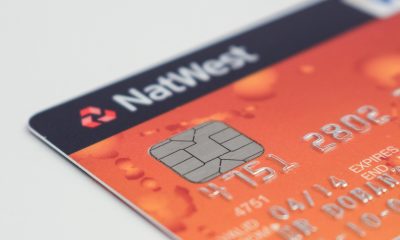
UK credit cards and balance transfers
Credit cards are quite popular and widely used in the UK. They are accepted at most shops and other merchant outlets.

Credit cards are quite popular and widely used in the UK. They are accepted at most shops and other merchant outlets. Various banks and financial institutions in the UK offer credit cards. These cards come with a range of benefits, which can vary significantly from one card to another, although there are many common features shared across different UK credit cards.
Credit card providers differ in their standard Annual Percentage Rates (APR), which are applied once the introductory 0% balance transfer offer expires. Some UK credit cards do not offer a 0% balance transfer but instead provide a more favourable standard APR. Additionally, certain credit card providers combine 0% offers with rewards programs that allow users to accumulate points. Another popular feature among UK credit cards is the combination of cashback offers with balance transfers. There are also attractive offers that provide 0% not only on balance transfers but also on purchases for a limited time, usually around five months. Some UK credit cards are also available to individuals with a poor credit history, although the final decision on approval lies with the credit card issuer.

If you want to transfer a balance to another UK credit card, the process is quite simple. First, assess your current financial situation and determine whether a repayment period of six, nine, or even twelve months would be sufficient to fully pay off your credit card debt. If the answer is yes, you can proceed with a UK credit card that offers a 0% balance transfer for that period, even if its standard APR is slightly higher. However, this assumes that once you have paid off your debt, you will control your spending and pay your credit card bills in full by the due date; otherwise, a high standard APR could lead to greater financial trouble.
If you believe that nine months is not enough time to repay your debt, then you should seek a balance between the duration of the 0% APR period and the standard APR rate, choosing the card that results in the least total cost. It would be wise to use a calculator to compare the total expenses associated with various UK credit card offers.
This is the most fundamental aspect to consider before deciding which UK credit card is best for transferring a balance. Other features, such as 0% offers on purchases or reward program points, are secondary considerations. Due to the intense competition in the UK credit card market, many providers offer appealing balance transfer schemes. Some credit cards feature 0% balance transfers for nine months, while others provide this offer for six months. However, it’s essential to consider other terms and conditions associated with these offers.

Full 2026 World Cup schedule by day

A comprehensive list of World Cup Team Players

World Cup 2026 USA, Mexico and Canada


-

 Football4 weeks ago
Fa Cup Winners
-

 Immigration2 weeks ago
Stop the incentives, stop the boats.
-

 Government4 weeks ago
Is This The PMs End Finally
-

 Government3 weeks ago
VAT cut for summer attractions
-

 Entertainment3 weeks ago
What’s on NETFLIX in May and June
-
 Football7 days ago
World Cup 2026 USA, Mexico and Canada
-

 Government1 week ago
Modern-Day Politics and Today’s Ideologies Now
-
 Football21 hours ago
Full 2026 World Cup schedule by day
-
 Football3 days ago
A comprehensive list of World Cup Team Players
You must be logged in to post a comment Login